emrebener.com
This site is the static front-end for everything I write and ship. The interesting bit isn’t the design — it’s the pipeline behind it. Every page on emrebener.com starts as a markdown file in an Obsidian vault, gets validated and rebuilt at every commit, and lands on Cloudflare Pages as static HTML.
Vault as source
Authoring happens in Obsidian — wikilinks, embedded images, Excalidraw diagrams, frontmatter properties — and the vault itself is the read-only input to every build. Anything outside the folders the build cares about (templates, scratch notes, vault internals) never reaches the site.
The contract between the vault and the rendered site is enforced by a Zod schema that runs on every Astro invocation — dev, build, and content-type sync. What it enforces:
- Dates are coerced from YAML’s quoted-string-or-bare-date ambiguity into real
Datevalues. - Descriptions are bounded between 70 and 160 characters — the lower bound rules out
xxx/todoplaceholders, the upper bound is Google’s snippet truncation point. - Entity lists (
mentions,about, projecttechnologies) are split out of pipe-separatedname|wikidata-qid|urlstrings into typed objects for the JSON-LD layer. - Required fields on publish are gated; a draft can sit half-filled in the vault indefinitely, but flipping
statustriggers the gate and refuses to ship until everything’s there.
Build-time pipeline
A handful of prebuild and postbuild steps sit between the vault and the deployed HTML, and each of them exists because something would otherwise fail silently.
Image optimization runs first: PNG, JPG, and WebP sources flow through sharp at q=80 with EXIF baked in and metadata stripped; GIF and SVG pass through unchanged. Each output is hashed and cached, and a three-pass orphan sweep removes cache entries for renamed or deleted topics, posts, and individual files, so the cache doesn’t quietly grow forever as the vault evolves. Slug collision detection runs before the public assets directory gets wiped, so a typo’d folder name fails the build instead of half-deleting the previous build’s images mid-run.
Wikilink validation runs next. Every embed in every published file is parsed with the same parser the renderer uses, refusing zero-valued or leading-zero widths, malformed dimension hints, and empty filenames before they reach Astro’s content pipeline. The reason this lives in a separate prebuild script rather than inside the renderer: Astro’s content loader silently catches certain remark errors and drops the affected entry instead of failing the build, so the failure mode without an explicit prebuild gate is “your post is missing from the deployed site for no obvious reason.” The validator surfaces those errors with a file path, loudly.
After the build completes, two more validators run against the rendered HTML. One walks every page checking that <link rel="canonical">, og:url, the sitemap <loc>, and the RSS <link> agree on a single canonical URL — a disagreement here is the kind of bug that silently halves a site’s search ranking. The other walks the JSON-LD blocks and verifies the schema.org type matches what’s expected for the route (Article for posts, CreativeWork for projects, ProfilePage for /about), required fields are populated, breadcrumb positions are contiguous, and no encoding glitches snuck a U+FFFD replacement character into a structured-data field.
Each layer fails loudly with a file path. Build pipelines that warn and continue tend to drift; this one refuses to.
Excalidraw diagrams, light and dark
Diagrams in posts are drawn in Excalidraw — Obsidian’s sketchy, hand-drawn-looking diagram tool — and embedded right next to the prose they explain. The interesting bit is what happens between the source drawing in the vault and the SVG that ends up on the page.
Each drawing is rendered into not one SVG but two — a light-theme version and a dark-theme version — both at build time, both committed to the repo, and both inlined into the page side by side. Naively that doesn’t work: SVGs use internal id references for things like arrowheads, gradient stops, and clip paths, and inlining two copies on the same page makes those references collide — light’s arrowhead suddenly points to dark’s stop, and the result is visibly broken diagrams. The build post-processes both SVGs after Excalidraw renders them, prefixing every id="…" and every url(#…)/href="#…"/xlink:href="#…" reference with light- or dark-, so the two trees coexist in the same DOM without stepping on each other. CSS visibility then toggles which one is shown — no runtime JavaScript, no flash of the wrong palette during the swap, no risk of the diagram falling out of sync with the surrounding page.
The render itself:
- Headless Chromium via Playwright drives Excalidraw’s own
exportToSvgfunction — the only way to faithfully reproduce the editor’s output. - SHA-256 cache key on the source. A hit on every drawing skips Playwright entirely. Excalidraw’s renderer is heavy enough that booting Chromium for nothing is the long pole on cold builds.
- Virgil font served separately via
@font-face, not inlined into the SVG. Keeps each SVG in the 5-30KB range instead of bloating to hundreds of KB.
One honesty caveat worth naming: in the version of Excalidraw the site uses, the dark variant isn’t a fully re-themed render — it’s the same SVG with a color-inverting CSS filter (filter: invert(...) hue-rotate(...)) applied at the root. Two distinct files still get shipped, and the visibility toggle is real, but the dark one is technically a filter-wrapped twin of the light one rather than a separately drawn render. The alternative would be post-processing every SVG to swap colors per stroke — exactly the kind of fragile build step the rest of the pipeline goes out of its way to avoid.
Excalidraw via MCP
The render pipeline above handles drawings that already live in the vault. The other half of the story is how they get there. Authoring directly in Obsidian’s Excalidraw plugin is fine when I have a visual instinct in mind, but most of the diagrams on this site started as conversation: I describe what I want, and Claude builds it on a shared canvas via MCP (Model Context Protocol).
The canvas is a small Dockerized service running on 127.0.0.1, with an MCP server in front of it. Claude gets tools for clearing the canvas, creating elements in batches with shape-bound arrows, sanity-checking the scene, and exporting the result as a .excalidraw file directly into the right post’s folder. The canvas page can be open in a browser tab during authoring, so each tool call updates the drawing visibly — useful for catching layout problems before an export lands a file in the vault.
The MCP server uses a simplified internal element shape: labels live inline on the parent shape, and several required Excalidraw fields (arrow points, roundness, seed, the boundElements cross-references between containers and their text labels) are missing. Feeding that raw export to the render harness crashes it. A Python transform rewrites the MCP shape into a canonical Excalidraw scene in place — exploding inline labels into separate text elements with containerId back-references and filling in the missing required fields. From the render pipeline’s perspective, the resulting file is indistinguishable from one drawn by hand in Obsidian. Same SHA-256 cache key, same dual-theme SVG output, same light/dark prefix rewriting trick. No AI-specific code path; just a different authoring channel feeding the same downstream machinery.
Math via KaTeX
Some posts need math — error rates, latency formulas, smoothing parameters — and the path of least resistance is to ship them as monospace ASCII inside a code block. That works, but it reads like a placeholder. The site renders LaTeX directly at build time via KaTeX, so a formula written in the markdown source comes out typeset alongside the rest of the prose:
Two markdown plugins wire the pipeline. remark-math parses $...$ (inline) and $$...$$ (display) in markdown bodies. rehype-katex walks the resulting math nodes and renders them to inline HTML — plus a parallel MathML span for screen readers — at build time. KaTeX runs entirely at build, no client-side JavaScript; pages still ship as static HTML.
The CSS is self-hosted alongside the rest of the site’s fonts. KaTeX’s bundled stylesheet is copied into the source tree with one mechanical change: every @font-face URL is rewritten to point at /fonts/katex/*.woff2 instead of the relative fonts/... path KaTeX ships with. The font files themselves — about 300KB of woff2 across roughly 20 variants for the various math glyph sets — live next to the site’s Roboto and Commit Mono. No external CDN, no DNS lookup, no preload of fonts most pages never use.
Theme integration takes more sentences to describe than CSS to implement. Math glyph color inherits from currentColor automatically — KaTeX’s stylesheet uses inherited fill on glyphs, and the surrounding .prose already sets the foreground per theme. Only the chrome needs explicit theming: fraction bars, overlines, underlines, the \hdashline rules, and the borders around \fbox and \boxed. A short override block in global.css maps those to the existing --fg and --border tokens, so math chrome stays in lockstep with prose chrome forever and no new theme variables get introduced.
The loud-failures pattern shows up here too. A prebuild validate-math.ts script parses every post and project body through the same remark-math AST the renderer uses, then calls katex.renderToString in strict throw-on-error mode on every math node. Invalid LaTeX fails the build with a file:line — $expression$ — KaTeX error: … log; the renderer itself also has throwOnError: true, so an expression that somehow bypasses the validator still kills the build rather than rendering as a red-text error in the page. A typo like $\alpah$ doesn’t ship.
One honesty caveat worth naming: KaTeX’s htmlAndMathml output includes a parallel MathML serialization for screen-reader access, and Pagefind currently indexes the MathML text alongside the visible page. That produces some low-signal hits on math-heavy pages — a query for “alpha cdot” can match the MathML serialization of the formula above. The fix is a small rehype plugin that tags .katex-mathml spans as data-pagefind-ignore. Not built yet; deferred until the noise actually shows up in practice.
Open Graph cards
Every page on the site gets its own Open Graph image — the card you see in the social-share preview when a link gets pasted into Twitter, LinkedIn, Slack, or WhatsApp.
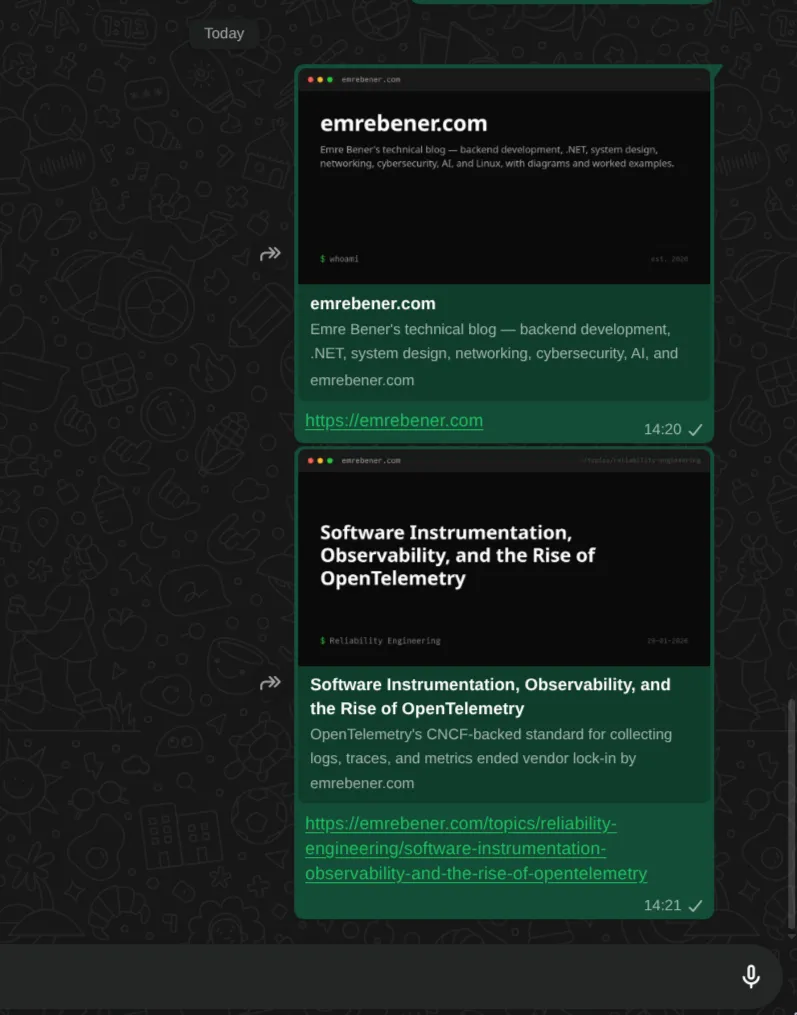
There’s no per-post field where I pick or upload an image; the cards are generated automatically from the page’s own metadata.
Three layouts cover the surface:
- Post card — title, blog, and publication date on a terminal-style background.
- Project card — same shape, project-specific.
- Site-wide card — for everything else (home, archive, about, and so on).
Each layout is a small Astro component, designed in the same stack as the rest of the site, with the same fonts and the same theme tokens. Each one is also previewable at a hidden /og-preview/... route during development, so iterating on a card design is identical to iterating on any other page.
The conversion from HTML to PNG is a two-step trick:
- Astro builds the preview pages. Each one is sized to exactly 1200×630, the dimensions every social platform standardized on.
- A postbuild step screenshots them. Spins up a local HTTP server against the just-built output, launches a headless Chromium via Playwright, visits every preview URL, and screenshots the page.
The screenshot is hash-gated against the rendered preview HTML, not against the markdown source — so a tweak to the card design itself (font, padding, the terminal chrome layout) re-renders every card in lockstep, while a single post edit only re-renders that post’s card. Either failure mode would be subtle the other way around.
The preview pages themselves never reach production. Three guards keep them out of the deploy:
- A sitemap filter excludes them.
robots.txtissues aDisallow.- The postbuild step deletes them from the deploy output before the canonical and JSON-LD validators run.
Without that last sweep the validators would scream — preview pages bypass the site’s base layout and don’t carry canonical tags.
Doing it as a screenshot instead of through an SVG generator or a canvas API means the card is the same medium as the rest of the site — HTML, CSS, fonts, theme tokens, all of it — rather than a parallel rendering system that has to be kept in design lockstep. The OG card stops being a separate authoring task and becomes a consequence of having published the post.
CV generation pipeline
The CV at /cv and the downloadable /cv.pdf are generated from the same markdown source the rest of the site is. There is no Word doc, no Google Docs round trip, no manually exported PDF — just a few markdown files validated at build time and rendered into both an HTML page and an A4 PDF via headless Chromium.
The validator is strict on purpose. The CV is authored as a separate markdown file per section — work history, education, projects, talks, and so on — with each entry stored as a YAML codeblock under its own H2 heading. A per-section Zod schema validates every entry, and the failure messages are scoped to file · entry · field precision: a missing endDate on the second entry of the work-history file fails the build with that exact path, instead of silently producing a CV with a blank cell where the date should have been. Once everything validates, the HTML page and the PDF are rendered side by side, and the PDF only re-renders when the underlying content has actually changed since the last build.
That cache lives in the repo, not just on my laptop. Each build commits the rendered PDF — and the hash that identifies its source — alongside the markdown that produced it. When Cloudflare runs a fresh build in its clean environment, it doesn’t have to start from zero: it reads the cached PDF straight out of the checked-out source tree and skips the render entirely. A push that didn’t touch the CV deploys without rendering a single PDF page, even though the toolchain that produces one is heavy.
SEO and discoverability
Search-engine and answer-engine optimization is sometimes a marketing concern. On a personal site that nobody is paying to promote, it’s mostly about not actively sabotaging your own visibility — which turns out to require more plumbing than you’d expect on a static site.
Every non-/search route emits JSON-LD structured data, with the schema type chosen for the route:
| Route | Schema |
|---|---|
| Home | WebSite |
/about | ProfilePage |
/archive, per-blog, /blogs, /projects | CollectionPage |
| Individual post | Article + BreadcrumbList |
| Individual project | CreativeWork + BreadcrumbList |
ProfilePage is chosen over the more obvious AboutPage because Google’s profile-page rich-result guidance is specifically for pages about a person. The author identity is a single schema.org Person record with @id https://emrebener.com/about#emre, defined once and referenced from Article.author and ProfilePage.mainEntity everywhere it appears — that’s the E-E-A-T story in a sentence: every post on the site connects to one canonical author with one consistent URL, instead of asking search engines to guess whether “Emre Bener” on a post and “Emre Bener” on the about page are the same human. Article also deliberately doesn’t carry a top-level @id — its canonical identity goes through mainEntityOfPage['@id'], which is Google’s actual reference pattern for blog articles and the bit most JSON-LD generators get subtly wrong. A postbuild validator walks the rendered HTML and refuses to ship a build that’s missing required fields, has non-contiguous breadcrumb positions, or lets a route’s JSON-LD url disagree with its <link rel="canonical">.
Descriptions and titles are sized for snippets:
- Description: 70-160 characters. Lower bound rules out placeholder stubs (
xxx,todo); upper bound is Google’s desktop snippet truncation point. - Title: ≤ 110 characters. Google silently suppresses the
Articlerich result above that — the kind of failure that won’t show up anywhere visible but quietly costs you a SERP feature.
Both are Zod-enforced, both fail the build with a precise character count, both fire only on publish so drafts don’t fight you while you’re still figuring out how to phrase a thing.
Accessibility and performance compound with all of the above, because Google’s ranking favors faster and more accessible sites.
On accessibility:
- Every interactive control carries an
aria-label. - Icon SVGs have
role="img"and accessible names. - Search inputs use
sr-onlylabels. - The mobile menu is a proper
role="dialog". - Code-block copy buttons announce their state.
- Excalidraw diagrams carry
aria-label="Diagram: {name}"so screen readers have a meaningful handle. - Image alt text is auto-derived from the filename via a humanizer — sloppy filename produces sloppy alt text, which puts the pressure to author cleanly on the right person.
On performance:
- Pages ship as static HTML with a handful of small React islands (six client components total, each loaded with the right hydration directive).
- Fonts are self-hosted and preloaded.
- Shiki themes are baked into HTML as CSS variables at build time so the syntax highlighter never runs in the browser.
- The search index is small JSON shards.
- Everything sits on Cloudflare’s edge.
The site lands top scores in both Lighthouse Performance and Accessibility — and ships zero bytes of analytics or tracker JavaScript while doing it.
Newsletter
The site is mostly static, but the newsletter signup is genuinely dynamic — and the bits behind it are deliberately built without a SaaS in the loop. Subscribe submissions hit a Cloudflare Pages Function which runs an invisible Turnstile challenge, validates the email format, applies a per-IP rate limit, and only then writes the row into a Cloudflare D1 database (SQLite-on-the-edge). Each layer is short-circuit: if Turnstile rejects the token the function returns immediately and never touches D1; if the email is malformed it never reaches the Turnstile check at all. Cheaper checks first, defense in depth.
The unsubscribe link in every newsletter is an HMAC-signed token of the subscriber’s email plus a server-held secret. Verifying a link is a constant-time HMAC compare against the secret — no database lookup needed to know whether the URL is genuine — and the unsubscribe page itself is a single GET request, so clicking the link in the email completes the unsubscribe with no confirmation step, no login, nothing to fight with on a phone. Mainstream email-list providers tend to push unsubscribe through a multi-step confirm flow because they don’t trust their own URLs; HMAC lets you collapse that flow safely. The whole stack runs on Cloudflare’s V8-isolate Workers runtime, using Web Crypto for the HMAC — no Node APIs, no node_modules shipped to the edge.
Search
Search is Pagefind, indexed at build time and served entirely client-side — the entire search index ships as small JSON shards alongside the HTML, with no third-party search service in the loop. Out of the box Pagefind is a bit too literal for a personal site: an aggressive Porter stemmer collapses developer, development, and developed into the same root; multi-word queries are strict AND-after-stemming; the title field is only modestly weighted above body text.
The query layer fixes those one by one:
- Title weight bumped from the default 5 to 8, so a hit on the post title outranks a passing mention in the body.
- Term-similarity bumped from 1.0 to 1.5, to penalize loose stem-extension matches the default settings accept too eagerly.
- Trailing wildcard on the last word the user typed, so
databamatchesdatabasesbefore they’ve finished the word. - Zero-hit fallback that re-runs each word independently in parallel and unions the results by ID — the way someone actually expects a search box to behave when they fat-finger one term out of three.
- 250ms debounce sits in front of all of that, higher than the typical 100ms because the fallback may dispatch N parallel queries per keystroke.
Filtering is per-collection. Every blog post article carries a kind:post data attribute, every project article carries kind:project. The global /search page filters to kind:post, so projects never show up there. The /projects page has its own filter input restricted to kind:project. Same index, two surfaces, no double-indexing.